Published
March 23, 2026
The LeapOCR Go, Python, JavaScript, and PHP SDKs now include webhook signature verification helpers, so you can validate customer webhooks with the raw request body and timestamp header instead of reimplementing HMAC logic.

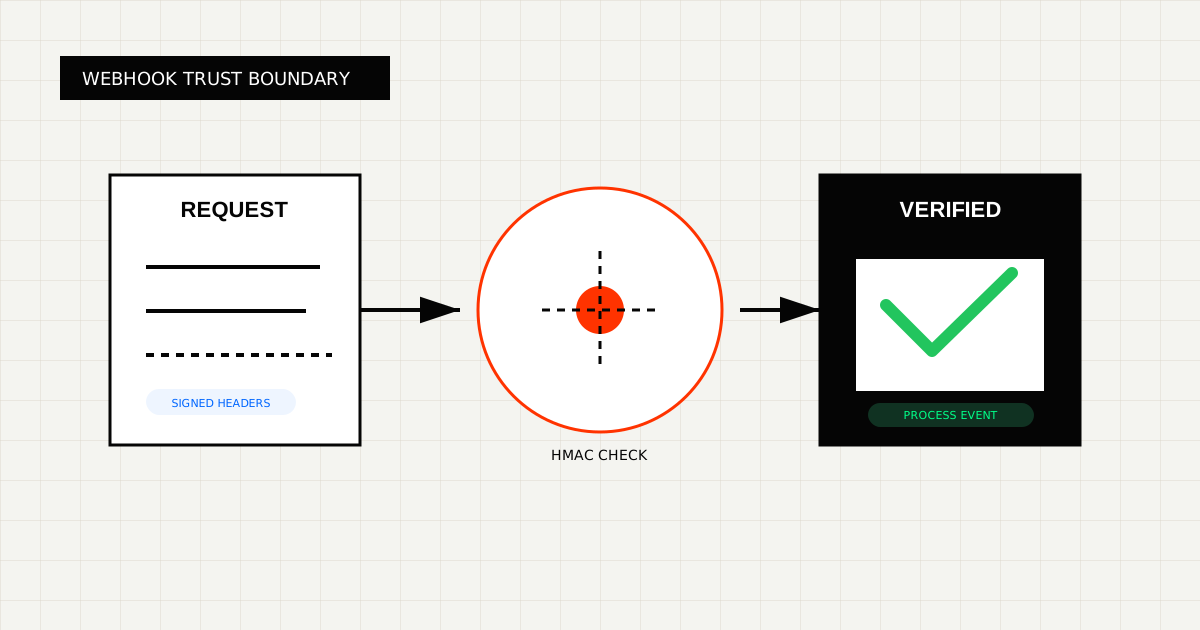
If you use webhooks in production, signature verification is not optional.
Until now, most teams handled that step themselves: read the raw body, pull headers, concatenate the timestamp, compute an HMAC, compare digests, and hope the implementation matches what the sender actually emits.
The official LeapOCR SDKs now include webhook signature verification helpers for:
That means less copy-pasted security code in your app and fewer subtle mistakes around body parsing and re-encoding.
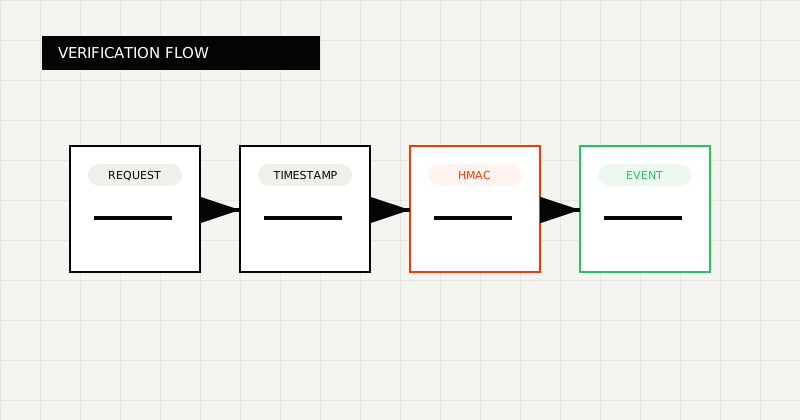 FIG 1.0 - Webhook verification flow from inbound request to trusted event.
LeapOCR customer webhooks now expose:
X-Webhook-SignatureX-Webhook-TimestampThe signed payload is:
<timestamp>.<raw request body>The signature is an HMAC-SHA256 digest computed with your webhook secret.
The important part is raw request body. Not parsed JSON. Not re-serialized JSON. Not a normalized payload after your framework has touched it.
Webhook verification bugs usually show up in small implementation details:
The helpers standardize that logic so your webhook handler stays focused on your application code.
import { verifyWebhookSignature } from "leapocr";
export async function POST(request: Request): Promise<Response> {
const rawBody = await request.text();
const signature = request.headers.get("x-webhook-signature") ?? "";
const timestamp = request.headers.get("x-webhook-timestamp") ?? "";
const isValid = await verifyWebhookSignature(
rawBody,
signature,
timestamp,
process.env.LEAPOCR_WEBHOOK_SECRET!,
);
if (!isValid) {
return new Response("Invalid signature", { status: 401 });
}
const payload = JSON.parse(rawBody);
return Response.json({ ok: true, eventType: payload.event_type });
}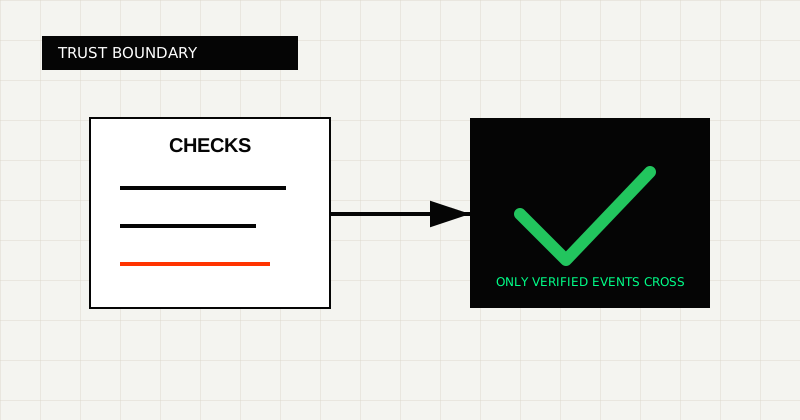 FIG 2.0 - Trust boundary showing signature, timestamp, and replay checks before processing.
import json
import os

from fastapi import FastAPI, Header, HTTPException, Request
from leapocr import verify_webhook_signature

app = FastAPI()


@app.post("/webhooks/leapocr")
async def leapocr_webhook(
    request: Request,
    x_webhook_signature: str = Header(default="", alias="X-Webhook-Signature"),
    x_webhook_timestamp: str = Header(default="", alias="X-Webhook-Timestamp"),
):
    raw_body = await request.body()

    if not verify_webhook_signature(
        raw_body,
        x_webhook_signature,
        x_webhook_timestamp,
        os.environ["LEAPOCR_WEBHOOK_SECRET"],
    ):
        raise HTTPException(status_code=401, detail="Invalid signature")

    payload = json.loads(raw_body)
return {"ok": True, "event_type": payload["event_type"]}<?php
use LeapOCR\LeapOCR;
$rawBody = file_get_contents('php://input') ?: '';
$signature = $_SERVER['HTTP_X_WEBHOOK_SIGNATURE'] ?? '';
$timestamp = $_SERVER['HTTP_X_WEBHOOK_TIMESTAMP'] ?? '';
$secret = (string) getenv('LEAPOCR_WEBHOOK_SECRET');
if (!LeapOCR::verifyWebhookSignature($rawBody, $signature, $timestamp, $secret)) {
http_response_code(401);
echo 'Invalid signature';
exit;
}
$payload = json_decode($rawBody, true, flags: JSON_THROW_ON_ERROR);package main
import (
"encoding/json"
"io"
"net/http"
"os"
ocr "github.com/leapocr/leapocr-go"
)
func webhookHandler(w http.ResponseWriter, r *http.Request) {
body, err := io.ReadAll(r.Body)
if err != nil {
http.Error(w, "failed to read request body", http.StatusBadRequest)
return
}
if !ocr.VerifyWebhookSignature(
body,
r.Header.Get("X-Webhook-Signature"),
r.Header.Get("X-Webhook-Timestamp"),
os.Getenv("LEAPOCR_WEBHOOK_SECRET"),
) {
http.Error(w, "invalid signature", http.StatusUnauthorized)
return
}
var payload map[string]any
if err := json.Unmarshal(body, &payload); err != nil {
http.Error(w, "invalid JSON", http.StatusBadRequest)
return
}
w.WriteHeader(http.StatusOK)
}Use the helper whenever you receive LeapOCR customer webhooks in your application.
Typical setups:
The helper is especially useful if you have multiple services written in different languages and want one consistent verification contract across all of them.
Do not verify against a body that your framework has already transformed.
Correct:
Incorrect:
JSON.stringify(parsedBody)This is the most common reason a valid webhook gets rejected.
This is a small feature, but it has an outsized impact on integration quality.
You can now:
If you want the exact helper signatures and SDK-specific usage, start here:
If you need webhook helpers in another language SDK, or want us to prioritize a new official SDK entirely, contact us. Include your stack and your webhook flow so we can prioritize the right runtime next.
Try LeapOCR on your own documents
Eligible paid plans include a 3-day trial with 100 credits after you add a credit card, so you can test actual PDFs, scans, and forms before committing to a rollout.
Keep reading
More implementation guides, benchmarks, and workflow notes for teams building document pipelines.
Install the official LeapOCR PHP SDK from Packagist, process documents with a native PHP API, and ship OCR workflows without hand-rolling multipart uploads or polling.

A practical walkthrough for adding LeapOCR to your app using the JavaScript/TypeScript SDK, from installation to your first production-ready workflow.

How to build a resilient, high-throughput document ingestion pipeline for logistics using LeapOCR and Go.