Published
January 25, 2026
A schema-first approach for invoices, packing lists, BOLs, and more. Learn how to structure strict contracts for messy data.
Supply chain documents are notoriously messy. Layouts shift, terminology varies (“Vendor” vs “Supplier”), and handwriting invades printed forms.
Yet, your downstream systems (ERP, TMS, WMS) demand rigid, structured data.
How do you bridge the gap? JSON Schema.
A well-designed JSON Schema is the contract that makes automation reliable. It forces the chaotic output of OCR engines into a strict structure that your code can trust.
Don’t write one giant schema for every document. And don’t write entirely separate schemas for every variation. Use composition.
Most logistics documents share about 60% of their DNA.
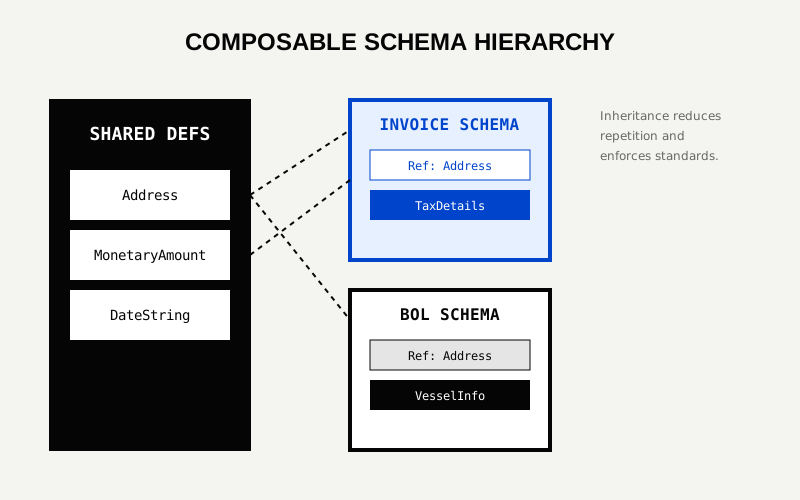
Create a library of core components. Reuse these everywhere.
// definitions.json
{
  "definitions": {
    "address": {
      "type": "object",
      "properties": {
        "street": { "type": "string" },
        "city": { "type": "string" },
        "country_code": { "type": "string", "pattern": "^[A-Z]{2}$" }
      },
      "required": ["country_code"]
    },
    "monetary_amount": {
      "type": "object",
      "properties": {
        "value": { "type": "number" },
        "currency": { "type": "string", "enum": ["USD", "EUR", "CNY", "GBP"] }
      },
      "required": ["value", "currency"]
    }
  }
}Now, assemble your specific document schemas using these building blocks.
Focuses on Financials.
{
  "$id": "https://example.com/schemas/invoice.json",
  "type": "object",
  "properties": {
    "invoice_number": { "type": "string" },
    "vendor": { "$ref": "definitions.json#/address" },
    "total_amount": { "$ref": "definitions.json#/monetary_amount" },
    "line_items": {
      "type": "array",
      "items": {
        "properties": {
          "description": { "type": "string" },
          "unit_price": { "type": "number" },
          "quantity": { "type": "integer" }
        }
      }
    }
  },
  "required": ["invoice_number", "total_amount"]
}Focuses on Movement.
{
  "$id": "https://example.com/schemas/bol.json",
  "type": "object",
  "properties": {
    "bol_number": { "type": "string" },
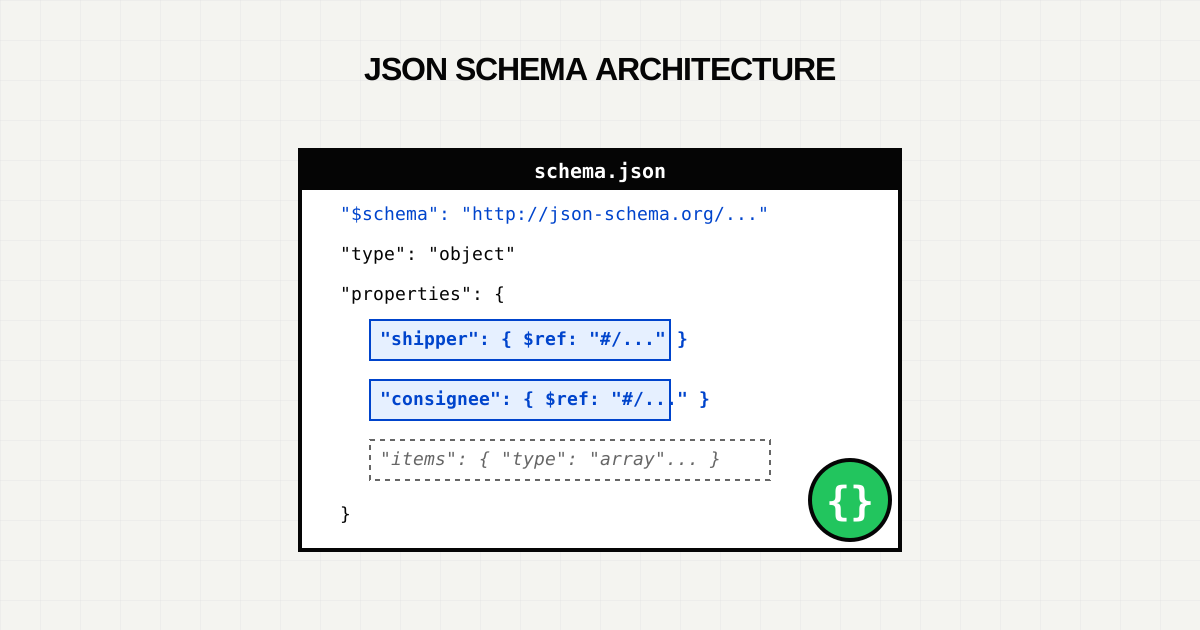
    "shipper": { "$ref": "definitions.json#/address" },
    "consignee": { "$ref": "definitions.json#/address" },
    "vessel_name": { "type": "string" },
    "containers": {
      "type": "array",
      "items": {
        "properties": {
          "id": { "type": "string", "pattern": "^[A-Z]{4}[0-9]{7}$" },
          "seal_number": { "type": "string" }
        }
      }
    }
  }
}
Notice how vendor, shipper, and consignee all use the same address definition. This ensures that no matter the source document, an “Address” always looks the same to your database.
Validation is not just about structure; it represents your business rules.
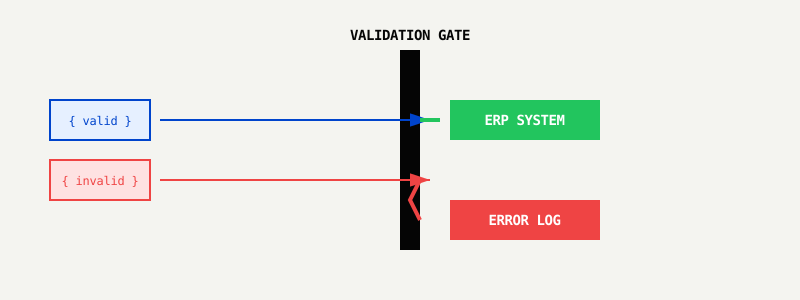
Implement a “Validation Gate” before data persistence:
total_amount a number, not a string?country_code exactly 2 letters?subtotal + tax = total? (This usually requires a custom validation layer on top of JSON Schema).If a document fails the schema, fail fast. Do not try to “fix” it silently. Route it to a human queue or reject the request. Partial data is often worse than no data.
Your business changes. Your documents will too.
If you add a new field HS_Code to your line items, you are changing the contract.
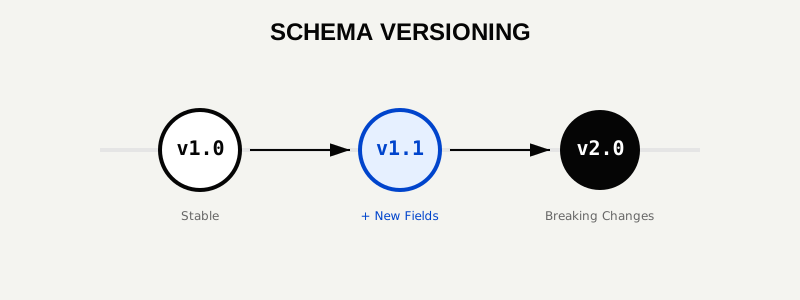
v1.0, v1.1, v2.0.Schema design is the foundation of document automation.
Get the schema right once, and the rest of your automation pipeline becomes a solved problem.
Try LeapOCR on your own documents
Eligible paid plans include a 3-day trial with 100 credits after you add a credit card, so you can test actual PDFs, scans, and forms before committing to a rollout.
Keep reading
More implementation guides, benchmarks, and workflow notes for teams building document pipelines.
Robotic Process Automation (RPA) was a bridge technology. Learn why flexible Vision Language Models (VLM) are replacing brittle scripts in modern supply chains.
The warehouse receipt is the moment of truth for inventory. Learn how converting these documents into real-time structured data feeds eliminates shortage claims and speeds up order fulfillment.
Detention and demurrage fees are the silent killers of logistics margins. See how automated document processing stops the clock and saves $100+ per container daily.