Published
November 24, 2025
We built LeapOCR because we were tired of OCR that failed on real documents. Come see what happens when AI meets document processing the way it should be.
You know that feeling when you scan a document and the OCR returns gibberish? We’ve been there. Too many times.
That’s why we built LeapOCR. Not because the world needed another OCR tool, but because we needed one that actually worked on the documents we deal with every day.
Last year, one of our founders spent three hours manually retyping a handwritten contract because the “industry-leading” OCR tools couldn’t handle it. Another watched a $500/month enterprise solution fail on a simple receipt photo.
We looked at each other and said, “This has to be better.”
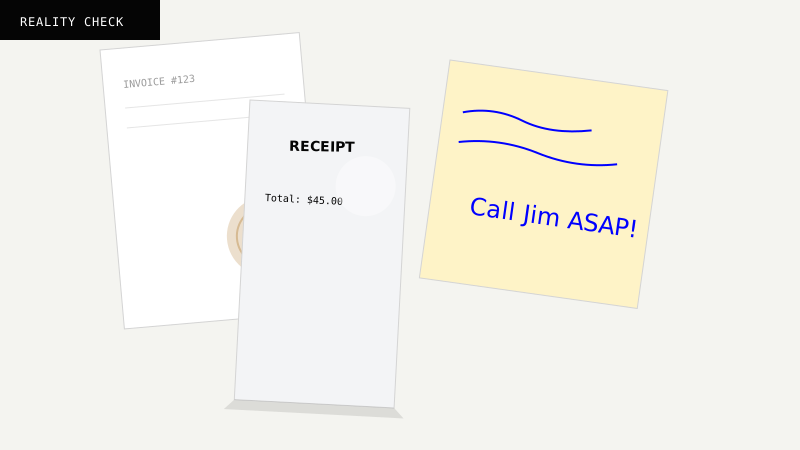
Most OCR tools work well on clean, perfect documents. But real-world documents are messy.
We trained LeapOCR on the types of documents that typically break other tools:
Right now we’re focusing on PDFs and making sure we handle them properly.
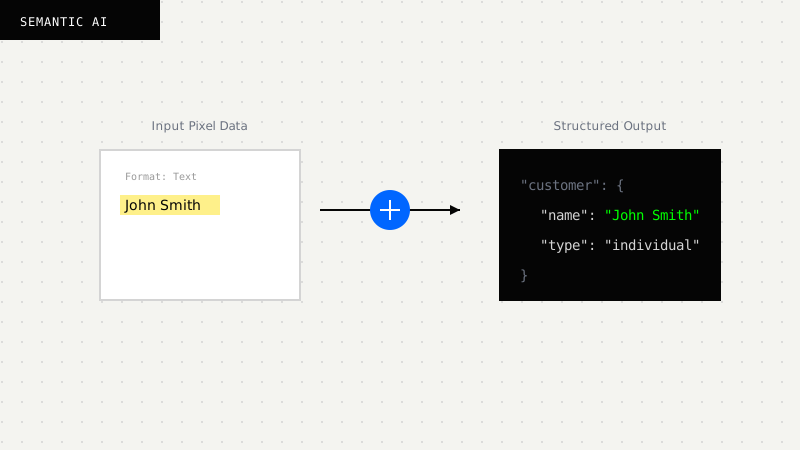
Our AI doesn’t just recognize words on a page. It understands what those words represent in the document structure. When it sees “John Smith” at the top of an invoice, it recognizes this as a customer name, not just random text.
The system learns from document patterns and adapts to the types of files you process.
OCR used to mean waiting several minutes for results. Most documents now process in seconds.
Your documents are processed securely and deleted after processing. We don’t retain your data or use it to train our models.
We provide clean API endpoints, documentation, and SDKs for integrating LeapOCR into your applications.
We’re a small team working on LeapOCR full-time. We’re focused on building practical document processing tools that solve real problems.
If you want to try it out, we’d love to hear what you think.
Questions or feedback? Reach out at hello@leapocr.com and let us know what documents you’re working with.
Try LeapOCR on your own documents
Eligible paid plans include a 3-day trial with 100 credits after you add a credit card, so you can test actual PDFs, scans, and forms before committing to a rollout.
Keep reading
More implementation guides, benchmarks, and workflow notes for teams building document pipelines.
Stop feeding raw text to your LLM. Learn why preserving document structure is key to reducing hallucinations in RAG apps.
Why classic OCR struggles on real-world documents and how AI-native, layout-aware extraction turns PDFs and scans into reliable, structured data your systems can trust.
A production-focused guide to turning PDFs and scans into schema-fit JSON without building a brittle cleanup layer after OCR.