Best PDF Parser APIs for Developers Handling Scanned Documents
If your input set is a pile of clean digital PDFs, a parser and an OCR API can look almost interchangeable.
That illusion disappears once the queue includes scanned PDFs, phone photos, skewed invoices, mixed layouts, or documents that still need to become a stable record in another system.
This guide compares the most visible developer-facing tools in that part of the market and focuses on the question that usually matters most in production: where does each tool break first?
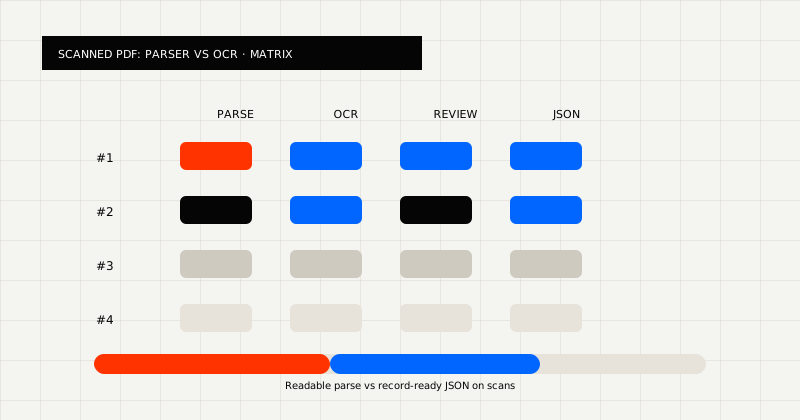 FIG 1.0 - Evaluation matrix for scanned PDF tools: parser vs OCR output, review, and JSON.
The Short Version
Different tools are strong for different jobs:
- PDF Vector is sharp for developer-first markdown parsing on PDFs and adjacent file types.
- LlamaParse is strong for LLM-oriented parsing, complex documents, and retrieval pipelines.
- Unstructured is strong when teams want element-level partitioning and ingest pipelines for RAG systems.
- Parseur is strong for no-code parser templates and export automation.
- Docparser is strong for UI-driven parser rules, templates, and back-office document routing.
- LeapOCR is strongest when scanned-document OCR, markdown, and schema-fit JSON all need to live in one workflow.
The best choice depends on whether you need:
- a parser for readable output
- a no-code extraction workspace
- a retrieval-oriented document pipeline
- an OCR API that returns downstream-ready data
What To Evaluate Before You Pick
Do not start with vendor category labels. Start with these five questions:
- Are your files mostly clean PDFs or messy scans?
- Does the result need to be readable markdown, structured JSON, or both?
- Will the workflow live in code, a no-code workspace, or a retrieval stack?
- How much validation still has to happen after extraction?
- Are tables, line items, and layout fidelity core requirements?
Those questions usually narrow the field faster than feature checklists.
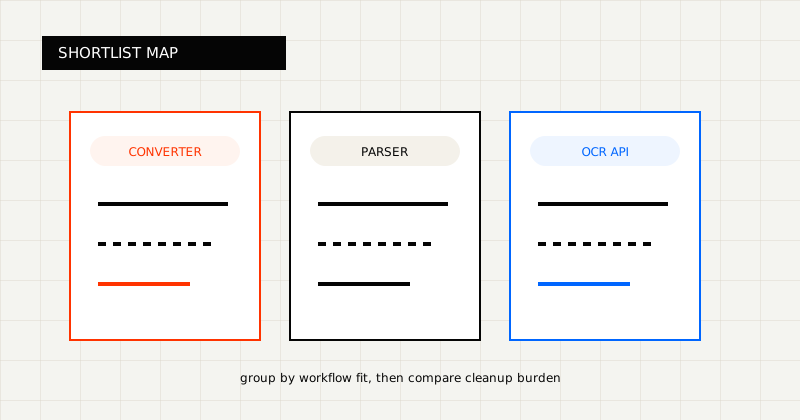 FIG 2.0 - Shortlist grouped by workflow fit.
1. LeapOCR
Best when:
- you need scanned-document OCR, not only PDF parsing
- the result has to become markdown or schema-fit JSON
- your engineering team wants an API-first workflow
What stands out:
- one API surface for markdown, schema-based JSON, custom output instructions, and optional bounding boxes
- support for scanned PDFs, Word docs, images, and 100+ other file types in the same workflow
- official SDKs for Python, PHP, Go, and JavaScript with human-readable API design
- reusable templates let you save an instruction set, model choice, and output schema for repeatable extraction configs
- async workflows with webhooks and waitUntilDone patterns for production document queues
- stronger fit for invoices, forms, and mixed-quality business documents where downstream systems care about the output contract
Start here:
2. PDF Vector
Official pages:
Best when:
- your main job is developer-friendly parsing into markdown
- your team prefers a simple API story over a broader workflow product
What stands out:
- clear markdown-oriented parsing focus
- practical fit for readable parsed output and developer-owned parsing workflows
- stronger category fit when the end product is content or markdown, not a strict downstream record
See also:
3. LlamaParse
Official pages:
Best when:
- the main use case is LLM-ready parsing and retrieval
- you care about complex layouts, charts, tables, and RAG quality
- you are already operating in a LlamaIndex-heavy stack
What stands out:
- strong docs footprint
- retrieval and RAG framing instead of classic back-office OCR framing
- clear positioning around complex-document parsing
4. Unstructured
Official pages:
Best when:
- you want element-level document partitioning
- your workflow is built around chunking, enrichment, and retrieval
- you are comfortable with a docs-heavy platform rather than simple marketing pages
What stands out:
- deep documentation
- strong relevance to RAG and ingestion pipelines
5. Parseur
Official pages:
Best when:
- the team wants a no-code AI PDF parser
- extraction templates and integrations matter more than embedding an OCR API in product code
- the workflow is operations-led rather than developer-owned
What stands out:
- clear no-code parser workflow
- strong fit for mailbox-style extraction and export automation
- better category match for operations-led parsing than API-first OCR
6. Docparser
Official pages:
Best when:
- teams want parser templates, zonal OCR, and integrations
- document routing and exports matter more than markdown or schema-first JSON
- the workflow is managed inside a document parser UI
What stands out:
- template-driven extraction and export workflows
- a simple value proposition for back-office teams managing parser rules
Choose a parser-first product when:
- your files are mostly clean PDFs
- readable markdown or parsed text is the main output
- the downstream workflow does not require a strict schema
Choose an OCR API when:
- the queue includes scans, photos, or mixed-quality files
- the output must become structured JSON or another system record
- reviewability, validation, and output control matter after extraction
That is the real decision boundary. Once messy files and downstream contracts matter, parser comparisons become workflow-fit comparisons.
Final Take
If your core requirement is parsing clean PDFs into readable output, tools like PDF Vector, LlamaParse, and Unstructured can be strong depending on the workflow.
If your documents are messy and the result has to become a reliable record for another system, you should bias toward OCR products that treat output shape and downstream fit as first-class concerns.
That is the line where parser comparison turns into workflow design.