Best Invoice OCR APIs for Accounts Payable Teams in 2026
The best invoice OCR API for accounts payable is usually not the one with the biggest feature grid.
It is the one that extracts supplier headers, line items, taxes, and totals accurately enough that AP does not spend the next step fixing the output by hand.
That is why AP teams should separate three product shapes during evaluation:
- invoice-first APIs
- broader AP automation platforms
- OCR layers that feed an ERP or internal workflow you already own
Those categories overlap in search, but they solve different operational problems.
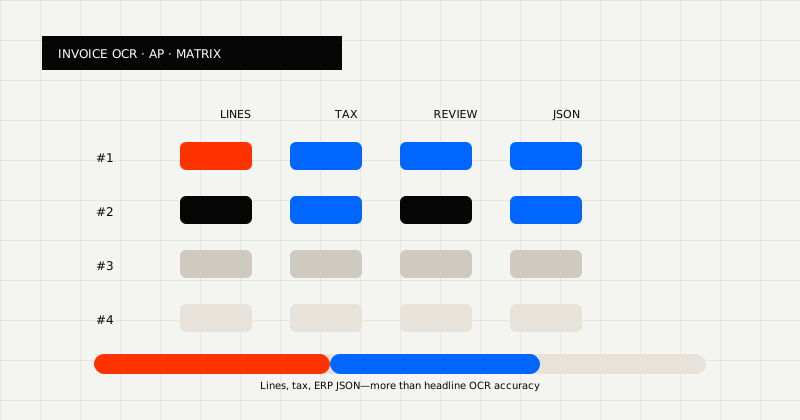 FIG 1.0 - Evaluation matrix for AP invoice APIs: line items, tax, review, and ERP-ready JSON.
The Short Version
If you need a practical shortlist:
- LeapOCR is strongest when AP still owns the workflow in-house and needs invoice OCR that fits messy supplier files, markdown review, and schema-fit JSON.
- Veryfi is strong for finance-specific invoice, receipt, and expense extraction.
- Mindee is strong for teams that care about developer experience, documentation, and productized invoice APIs.
- Nanonets is strong when the buyer wants OCR plus a wider workflow automation product.
- Klippa is strong for enterprise-heavy finance teams that want broader document capture packaging.
- Rossum is strong when the business is evaluating a larger AP automation platform, not just extraction.
The useful question is not “which vendor has invoice OCR?” It is “which API leaves the least cleanup in our AP process?”
Comparison Table
| API | Best for | Product shape | Why AP teams shortlist it |
|---|
| LeapOCR | Developer-owned AP workflows | OCR API / extraction layer | Strong fit for messy invoices, markdown review, and schema-fit JSON |
| Veryfi | Finance-specific extraction | Invoice-first API | Strong invoice, receipt, and expense focus |
| Mindee | API-first product teams | Document AI API | Strong docs, SDKs, and productized invoice models |
| Nanonets | OCR plus workflow automation | Workflow platform + OCR | Broader AP and automation story around extraction |
| Klippa | Enterprise document capture | Finance-oriented OCR platform | Stronger enterprise and compliance-oriented positioning |
| Rossum | Higher-level AP automation | AP automation platform | Strong workflow, review, and operations narrative |
What AP Teams Should Evaluate First
Before comparing vendors, answer these questions:
- Are invoices the only document type, or do supporting PDFs, receipts, forms, and scanned attachments show up too?
- Does the result need to become a stable record in an ERP or finance system?
- Do operators still need a readable review layer before posting?
- Is the team buying a workflow platform or just the extraction layer?
- How much normalization still happens after OCR today?
Those answers usually narrow the field faster than feature tables do.
The next filter is practical. In AP, an invoice OCR API is only as good as its behavior on:
- supplier variation
- line-item fidelity
- tax and total consistency
- exception review speed
- ERP-ready output
1. LeapOCR
Best when:
- invoices are part of a broader messy-document queue
- the output needs to become markdown or schema-fit JSON
- the finance workflow still lives in your own system of record
What stands out:
- one OCR surface for readable markdown and structured JSON
- support for PDFs, Word docs, images, and 100+ other file types in the same intake layer
- official SDKs for Python, PHP, Go, and JavaScript for teams integrating directly into their AP tooling
- reusable templates let you save an extraction config — instruction set, model, and schema — for repeatable invoice processing
- custom output instructions to normalize dates, reshape fields, and fit your ERP contract without extra code
- optional bounding boxes for fields, line items, tables, and signatures when dispute review matters
- async workflows with webhooks for production invoice queues where latency and retry logic matter
- stronger fit for scans, mixed PDFs, and ugly real-world files
- better shape when OCR has to feed your own approval or ERP logic
Start here:
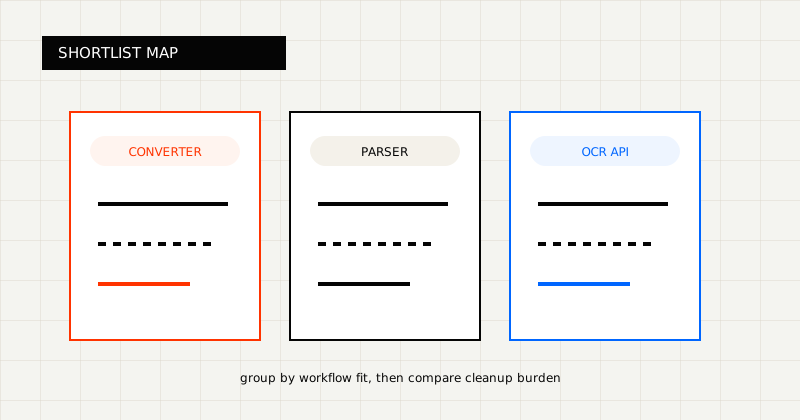 FIG 2.0 - Shortlist grouped by workflow fit.
2. Veryfi
Official pages:
Best when:
- the center of gravity is invoice, receipt, and expense extraction
- the buyer wants a finance-first API story
- vertical invoice pages matter to the evaluation
What stands out:
- finance-specific invoice, receipt, and expense positioning
- stronger fit for invoice-specific evaluations than broader mixed-document workflows
- a clearer shortlist when AP does not need a broader mixed-document extraction layer
Why AP teams pick it:
- invoice-first positioning is clearer than many broader OCR vendors
- receipt and expense coverage can matter when AP touches adjacent finance documents
- easier shortlist when the team wants finance-specific extraction instead of a general document stack
3. Mindee
Official pages:
Best when:
- the team wants productized invoice APIs plus strong developer docs
- a broader document-processing vendor is acceptable
- developer experience is part of the buying criteria
What stands out:
- strong docs footprint
- productized invoice APIs with a clearer developer experience than many finance-led vendors
- clearer developer packaging than many finance-led vendors
Why AP teams pick it:
- implementation is approachable for product and platform teams
- invoice OCR is packaged as a clear API product rather than only as services or enterprise workflow
- a good fit when internal developers will own routing, validation, and writeback
See also:
4. Nanonets
Official pages:
Best when:
- the buyer wants OCR plus a wider workflow SaaS
- AP automation language matters as much as extraction quality
- the team is comfortable adopting more vendor surface around the workflow
What stands out:
- broader OCR plus workflow automation packaging
- a bigger AP process story than a pure extraction API
- stronger fit when buyers want more software around the workflow
Why AP teams pick it:
- broader automation packaging can appeal when extraction is only one buying criterion
- useful when teams want OCR plus review, routing, or process layers in one vendor
- stronger fit for buyers comfortable moving more AP surface into the platform
See also:
5. Klippa
Official pages:
Best when:
- the evaluation is more enterprise-heavy
- finance, invoice, and compliance messaging are part of the sale
- long-form category posts influence the shortlist
What stands out:
- stronger enterprise and finance-oriented packaging
- a heavier finance-oriented vendor story than a compact extraction API
- better fit when procurement and compliance are part of the evaluation
Why AP teams pick it:
- stronger fit for teams that care about enterprise rollout, controls, and document capture breadth
- finance-oriented positioning helps when procurement and operations both influence the sale
- better fit for a larger vendor evaluation than a lightweight developer-only API search
See also:
6. Rossum
Official pages:
Best when:
- the business wants more AP workflow bundled into the vendor platform
- touchless invoice processing and AP automation are the main buying topics
- customer-story proof matters a lot in enterprise evaluation
What stands out:
- strong AP automation narrative
- broad integrations and published customer references for large deployments
- a higher-in-the-stack product position than a smaller OCR layer
Why AP teams pick it:
- good fit when the project is closer to AP transformation than simple extraction replacement
- workflow and review tooling matter as much as OCR accuracy
- stronger candidate for teams that want more of the invoice lifecycle inside one platform
How To Choose From This List
Choose an invoice-first API when:
- nearly all incoming documents are invoices, receipts, or expense records
- finance owns the vendor decision
- speed to value matters more than building a broader internal document platform
Choose a broader AP or workflow platform when:
- the team wants routing, review, and automation bundled with extraction
- AP operations want more of the process managed by the vendor
- the evaluation is closer to a platform purchase than an API purchase
Choose a schema-first OCR layer when:
- invoices are only one document type in the queue
- the extracted result must fit an ERP or internal data contract
- engineering wants to keep workflow control inside its own system
How To Run A Better Evaluation
Do not benchmark on one polished PDF.
Use a batch that includes:
- a clean digital invoice
- a low-quality scan
- an invoice with multiline line items
- a supplier layout that places totals or tax in an unusual position
- at least one document that usually creates exceptions in your current process
Then score each API on:
- header accuracy
- line-item preservation
- tax and total consistency
- reviewability
- ERP-ready output
- cleanup burden after extraction
Final Take
The best invoice OCR API for AP teams is the one that removes the most downstream cleanup, not the one that looks best in a demo.
If your finance workflow lives inside your own system and your documents are messy, start with LeapOCR. If the requirement is narrower or more platform-heavy, Veryfi, Mindee, Nanonets, Klippa, or Rossum may be worth evaluating depending on where you want the product boundary to sit.
The practical test is simple: run your ugliest real invoices, measure how much cleanup remains, and choose the tool that leaves the smallest pile of manual work behind.