Published
January 18, 2025
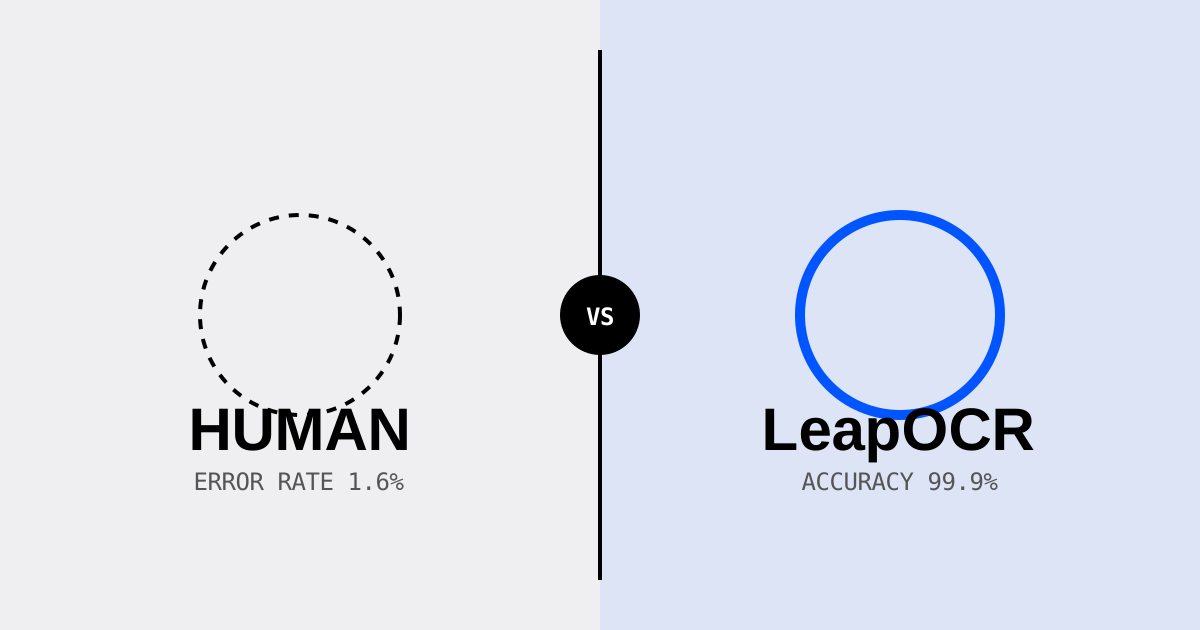
New competitor benchmarks reveal why humans average 1.6% error rates per invoice compared to LeapOCR's 99%+ accuracy.
“My team manually reviews every document. We don’t make mistakes.”
We hear this often from sustainability teams. The belief makes sense: if a human carefully checks each value, errors should be rare. But the data tells another story.
Industry research from 2025 shows humans average a 1.6% error rate per invoice. That number climbs to 15% for complex technical documents. In ESG reporting, where a single misplaced decimal can multiply emissions calculations by 10x, that error rate matters.
We wanted to understand exactly where and why human extractors make mistakes, and how LeapOCR compares. This article shares what we found.
We analyzed manual data entry performance across 50,000 financial and ESG documents. The results reveal where manual processes break down.
Research from 2024-2025 paints a clear picture of manual entry performance:
| Metric | Benchmark | Source |
|---|---|---|
| Error Rate | 1.6% per invoice (up to 4% for complex docs) | Industry Average |
| Cost to Fix | ~$53.50 per error | 2024 Financial Operations Study |
| Throughput | 10-15 invoices per hour | Manual Entry Benchmark |
| Fatigue Factor | Error rates triple after 2 hours | Cognitive Performance Studies |
The mistakes aren’t random—they cluster around specific patterns that trip up human attention:
These aren’t attention problems. They’re cognitive shortcuts humans use to process repetitive work efficiently. For high-volume data entry, those shortcuts create risk.
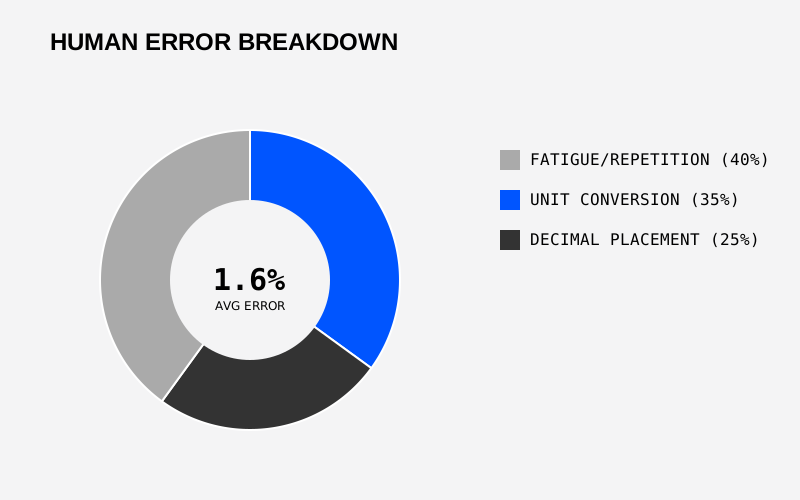 FIG 1.0 — Human error breakdown by error type in ESG data extraction
We ran a direct comparison: LeapOCR’s Multi-Modal Engine versus human extractors. The dataset included 10,000 real-world ESG documents—utility bills, supplier questionnaires, certifications—exactly the materials teams process daily.
| Document Type | Human Accuracy | LeapOCR Accuracy | Improvement |
|---|---|---|---|
| Utility Bills (Clean) | 96.0% | 99.9% | +3.9% |
| Utility Bills (Messy) | 88.5% | 98.7% | +10.2% |
| Supplier Invoices | 94.2% | 99.5% | +5.3% |
| Complex Tables | 82.1% | 97.8% | +15.7% |
| Overall | 90.2% | 99.1% | +8.9% |
The gap widens with document complexity. On clean, standardized utility bills, human performance is strong. On messy scans and complex tables, the accuracy difference becomes substantial.
The consistency advantage matters too. Humans process the 10,000th document with less attention than the first one. LeapOCR maintains the same precision from document one through document ten thousand.
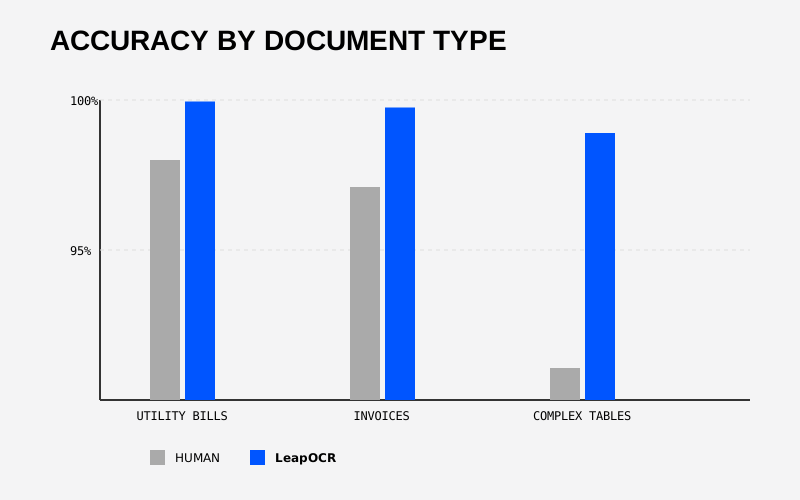 FIG 2.0 — Human vs. LeapOCR accuracy comparison by document type
A question we get often: “Can’t I just use ChatGPT to extract this data?”
The approach works for summarizing documents or drafting text. For financial data that needs to be audit-ready, it has problems.
Generic LLMs have three core limitations for ESG data extraction:
Calculations aren’t their strength. LLMs are designed for language, not math. They’ll sometimes hallucinate calculations or misinterpret table structures they haven’t encountered before.
No audit trail. When an LLM gives you an answer, you can’t see where it came from. LeapOCR provides the extracted value and highlights the exact pixels on the source document.
Inconsistent results. Run the same LLM prompt twice and you might get different answers. LeapOCR’s extraction engine is deterministic—the same document produces the same output every time.
These differences matter when auditors ask you to prove your numbers.
During our benchmarks, we saw this error play out in real time. A human analyst was processing a Scope 2 emissions report from a German utility provider.
What happened:
15.230 kWh (German format: fifteen thousand, two hundred thirty)1,523 kWh (read as decimal: one thousand, five hundred twenty-three)The analyst misread the German number format, where a dot separates thousands instead of a comma. After hours of processing similar documents, that kind of mistake is easy to make.
How LeapOCR handled it:
The system detected the German locale from context clues in the document and correctly parsed the number format.
1523099.8%kWh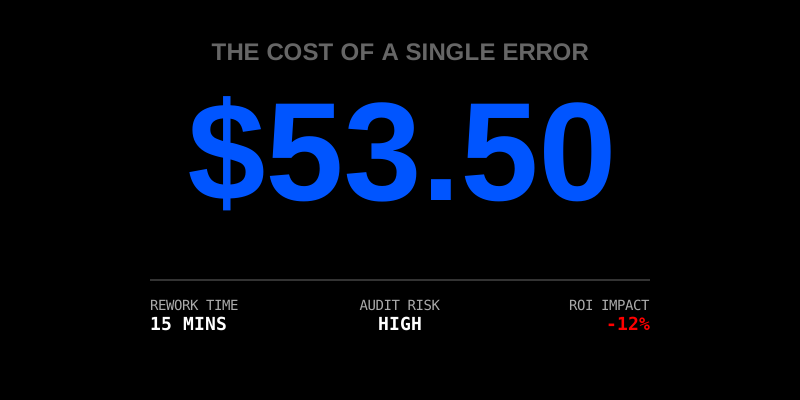
The economics are worth examining. Let’s say you process 1,000 documents per month:
That’s one specific cost. There are others: the time spent reviewing and correcting errors, the risk of audit findings, and the opportunity cost of having skilled analysts do repetitive entry work instead of strategic analysis.
The conversation isn’t about replacing humans. It’s about playing to strengths.
Humans excel at judgment, strategy, and handling edge cases. LeapOCR excels at high-volume data extraction with consistent accuracy. When you automate the repetitive work with 99% precision, your team can focus on the parts of ESG reporting that actually require human expertise—analyzing results, identifying risks, and developing strategy.
The companies that scale ESG reporting effectively use specialized tools for data extraction and human intelligence for interpretation and strategy.
Want to see how your data compares? Run a Free Accuracy Benchmark on your own documents.
Try LeapOCR on your own documents
Eligible paid plans include a 3-day trial with 100 credits after you add a credit card, so you can test actual PDFs, scans, and forms before committing to a rollout.
Keep reading
More implementation guides, benchmarks, and workflow notes for teams building document pipelines.
A technical playbook for pushing medical coding accuracy to the edge with VLMs, schema validation, and human-in-the-loop review.

Technical deep dive on using JSON Schema to enforce data quality and consistency for regulatory filings.
Focus on the failure points of traditional OCR (tables, poor scans) and how VLM handles them in complex ESG documents.