Published
January 25, 2026
A single typo on a Bill of Lading can stop a container for weeks. Here is a breakdown of the most expensive documentation errors in logistics and how to automate them away.
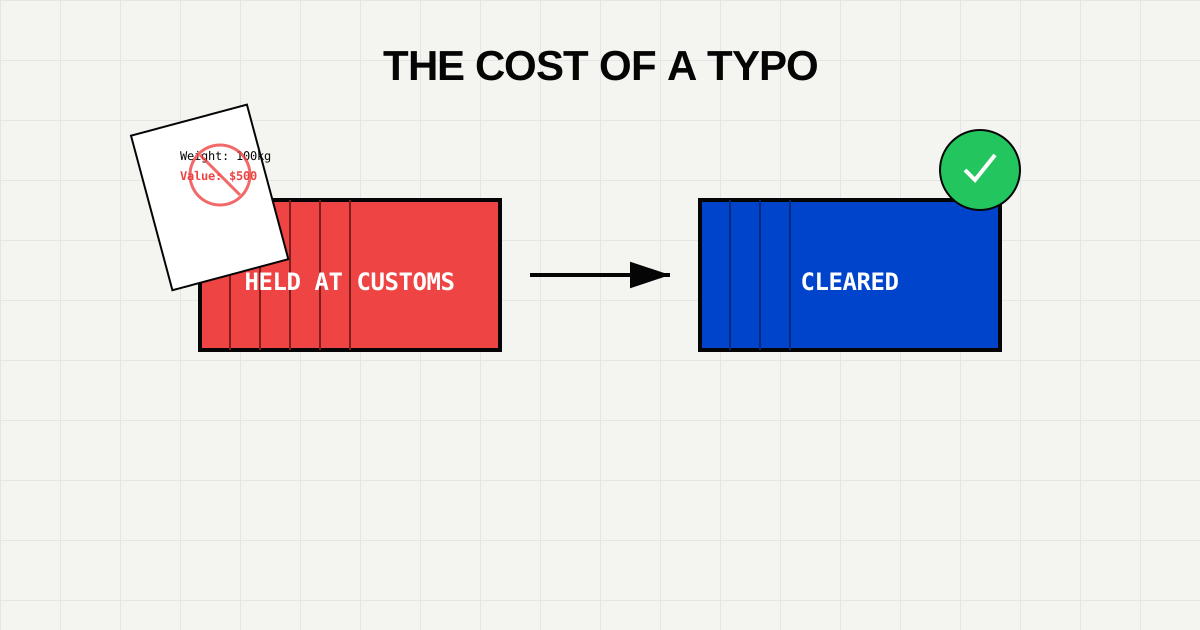
In logistics, data entry isn’t just administrative work; it’s a high-stakes game. A single digit mismatch between a Commercial Invoice and a Packing List can cause a customs audit that grounds a container for 14 days.
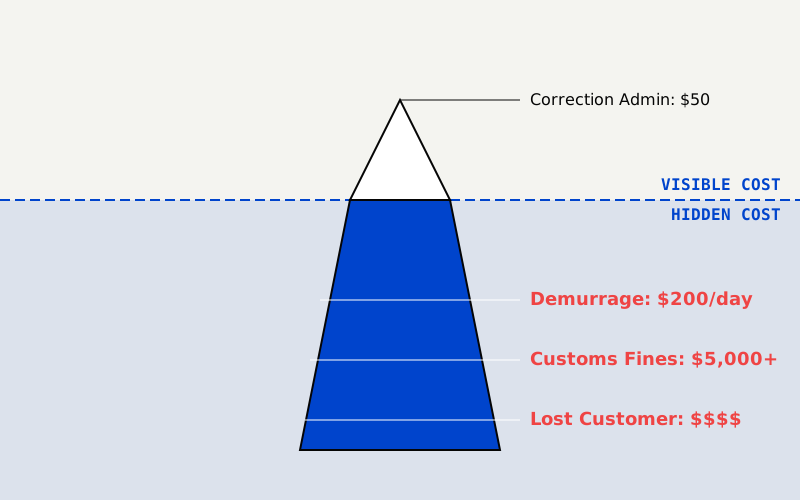
The cost isn’t just the $50 administrative fee to amend the document. It’s the $200/day in demurrage charges, the lost customer trust, and the stock-out at the destination warehouse.
Here are the five most common reasons shipments get flagged, and how modern Document AI pipelines prevent them.
The Error: The Packing List says Gross Weight: 500kg, but the Bill of Lading (BOL) says 550kg.
Why it happens: Different teams prepare different docs. The warehouse weighs the pallet (550kg), but the sales team invoices the product weight (500kg).
The AI Fix: An automated pipeline extracts weights from all documents in the packet and runs a logic check: IF BOL.weight != PackingList.weight THEN Alert().
The Error: Using an outdated Harmonized System (HS) code, or using a generic code (e.g., “Auto Parts”) instead of a specific one (“Brake Pads”). Why it happens: HS codes change annually. Manual operators often copy-paste codes from last year’s spreadsheets. The AI Fix: AI models can lookup the extracted description (“Ceramic Brake Pads”) against a live database of current HS codes and flag invalid entries.
The Error: The Commercial Invoice lists “Acme Corp, 123 Main St”, but the Certificate of Origin lists “Acme Corporation Inc, 123 Main Street”.
Why it happens: Human variation in typing. Banks handling Letters of Credit (LC) will reject documents for even minor spelling differences.
The AI Fix: Entity Normalization. The AI recognizes that “Acme Corp” and “Acme Corporation Inc” are the same entity entity ID ACME-US-001.
The Error: Submitting a finalized logic packet without the container number (because it wasn’t known at booking time).
The AI Fix: Schema Validation. You can set a strict rule: No packet enters the ERP until container_id matches the standard regex format (e.g., ABCD1234567).
The Error: The invoice is in CAD (Canadian Dollars), but the customs entry is filed as USD.
The AI Fix: Context awareness. The AI looks for symbols ($, CA$) and text cues (“Total in CAD”) to explicitly validate the currency code ISO 4217 field.
The only way to catch these errors at scale is Cross-Document Validation. You cannot check documents in isolation. You must check the entire packet.
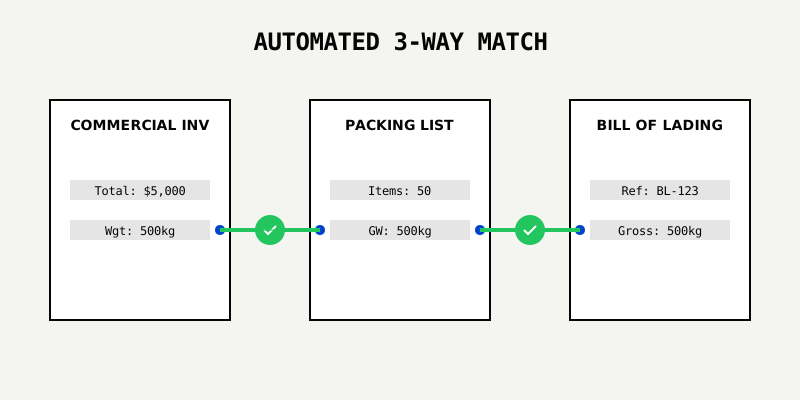
Invoice.Total == Sum(LineItems)Invoice.Weight == PackingList.WeightShipper.Name == BOL.ShipperManual data entry typically has an error rate of 4% (4 errors per 100 documents). In a high-volume logistics operation, that is 40 fires to put out every day.
AI-assisted workflows, where humans only review “low confidence” flags, drive that error rate down to 0.1%.
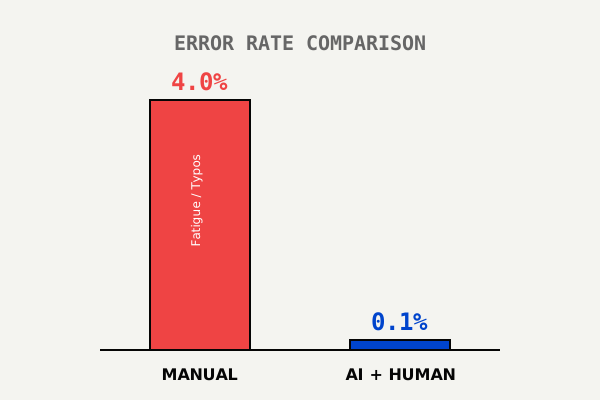
You cannot train humans to never make typos. Fatigue is biological.
The only way to eliminate shipping document errors is to move from “Entry” (reading and typing) to “Review” (verifying AI output).
Stop paying demurrage.
Try LeapOCR on your own documents
Eligible paid plans include a 3-day trial with 100 credits after you add a credit card, so you can test actual PDFs, scans, and forms before committing to a rollout.
Keep reading
More implementation guides, benchmarks, and workflow notes for teams building document pipelines.
Global trade compliance is non-negotiable. Learn how automated document extraction and fuzzy matching create a robust, 24/7 sanctions screening shield.
How AI extracts and validates key fields from certificates of origin to reduce compliance risk.
How automation reduces errors and accelerates customs processing while keeping compliance intact.