Published
January 26, 2026
Global trade compliance is non-negotiable. Learn how automated document extraction and fuzzy matching create a robust, 24/7 sanctions screening shield.
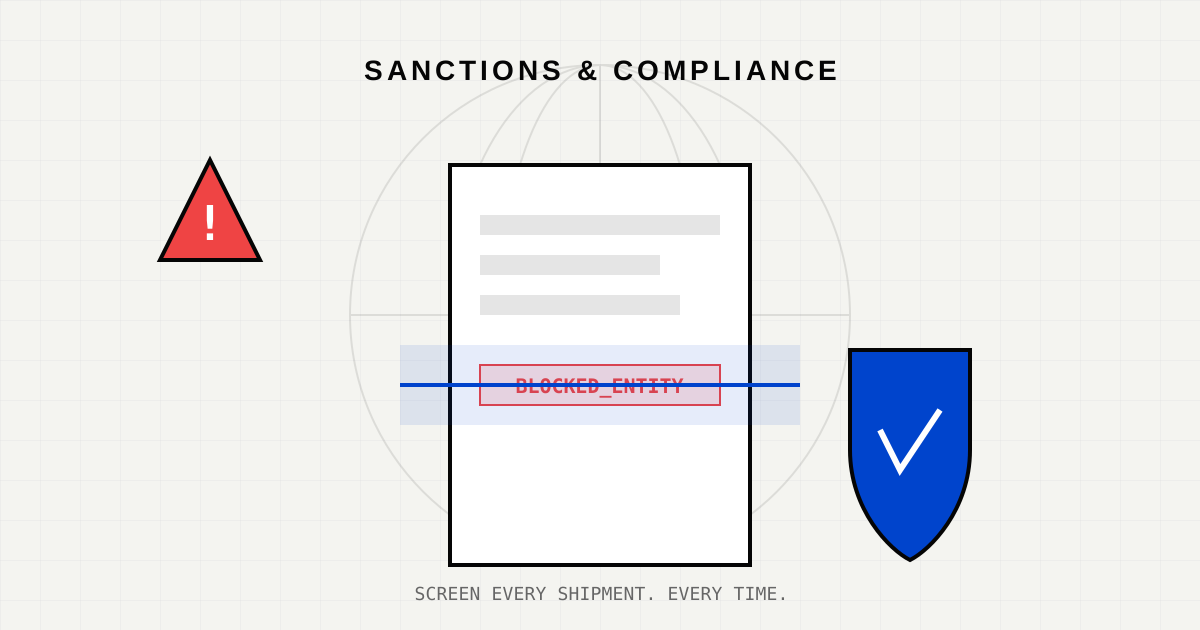
In global logistics, moving the cargo is only half the battle. The other half is ensuring you are allowed to move it.
With constantly evolving sanctions lists (OFAC, EU, UN) and the complex web of global trade, inadvertently shipping goods to a blocked party is a career-ending risk. The penalties are severe: millions of dollars in fines, frozen assets, and reputational ruin.
Yet, many logistics providers still rely on manual data entry to perform these critical checks. An operator types a name from a PDF Bill of Lading into a screening tool. If they make a typo—typing “Mariupol” as “M4riupol”—the system clears the shipment, and the compliance breach happens.
The weak link in compliance isn’t the screening database; it’s the data entry.
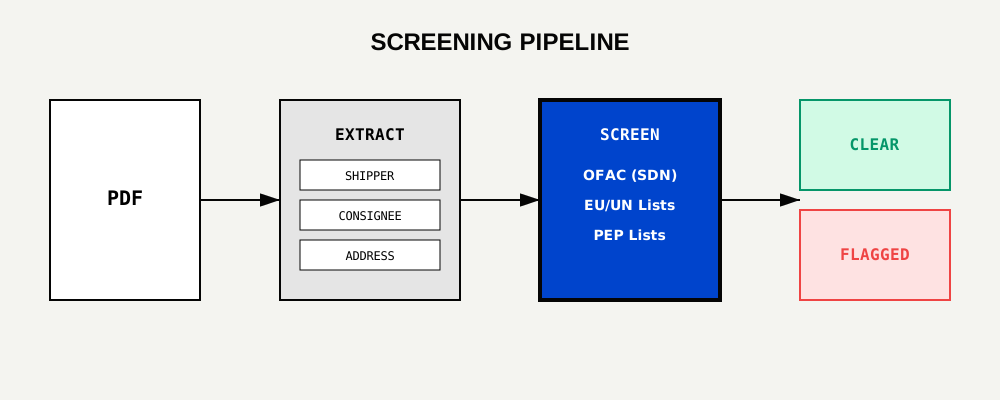
Shipping documents are messy. Bills of Lading (BoL), Commercial Invoices, and Packing Lists arrive as scanned PDFs, often with blurry text, stamps, and handwriting.
Traditional OCR makes errors. Humans get tired.
LeapOCR solves this by using AI to extract entity data with near-perfect accuracy, regardless of document layout. We don’t just “read text”; we identify Entities:
Bad actors know how filters works. They intentionally alter spellings to bypass exact-match screens.
Iran -> IrqnKalashnikov -> Kala$hnikovA simple SQL query will miss these. LeapOCR’s extraction pipeline feeds into a Fuzzy Matching engine. We score the similarity between the extracted text and the sanctions list.
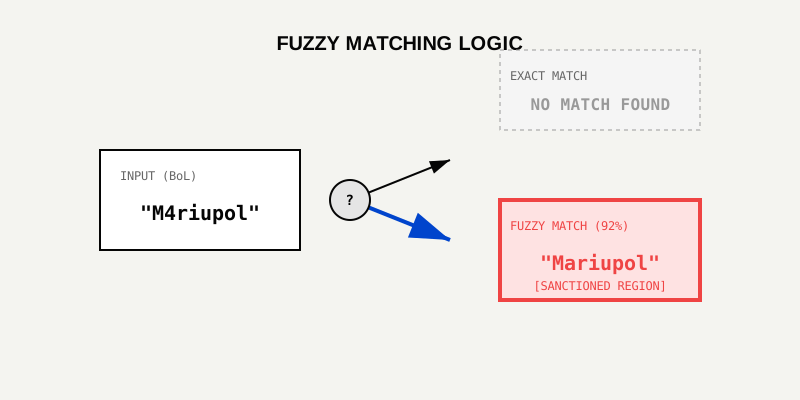
This ensures that even if the document contains a typo (intentional or accidental), the entity is flagged for review.
A major pain point in compliance is “False Positives.” There are many people named “John Smith.” You cannot block every shipment to a John Smith.
We implement a Risk Matrix approach. We don’t verify names in a vacuum; we look at the context:
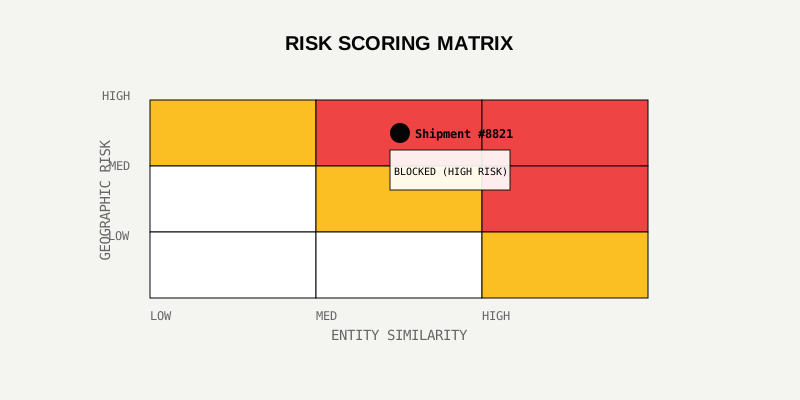
Only when multiple risk factors converge do we issue a “BLOCK” status. This keeps commerce flowing while catching genuine threats.
If a regulator comes knocking, “I didn’t see it” is not a valid defense. You need an audit trail.
LeapOCR provides a JSON log for every single document processed:
{
  "document_id": "doc_8821",
  "timestamp": "2026-01-26T14:10:00Z",
  "extracted_entity": "MegaCorp Logistics LLC",
  "sanction_match": "MegaCorp Holdings (OFAC SDN List)",
  "match_score": 0.94,
  "action": "FLAGGED_FOR_REVIEW"
}
This immutable record proves that you performed due diligence on every shipment.
Compliance is not a “check-the-box” exercise; it is an active defense system. By automating the extraction and screening layer, you remove human error from the equation.
You protect your company, your clients, and the integrity of the global supply chain.
Is your compliance screen-proof? Test the Compliance Extraction API or read our whitepaper on AI Risk Management.
Try LeapOCR on your own documents
Eligible paid plans include a 3-day trial with 100 credits after you add a credit card, so you can test actual PDFs, scans, and forms before committing to a rollout.
Keep reading
More implementation guides, benchmarks, and workflow notes for teams building document pipelines.
How AI extracts and validates key fields from certificates of origin to reduce compliance risk.
How automation reduces errors and accelerates customs processing while keeping compliance intact.
A forward-looking view of how AI-driven document automation will reshape global trade.